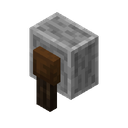
Anvil
An anvil is a block used to repair equipment, rename items and apply enchanted books. In Matcha Flavoured it is the only way to apply blessings and other enchantments, and the pack changes how experience and repair costs work with it so that repairs never become too expensive.
Obtaining
Crafting
| Name | Ingredients | Recipe |
|---|---|---|
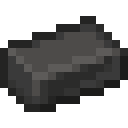
| Anvil | 3 × Steel Alloy + 4 × Iron Ingot |
   |
| Anvil (vanilla recipe) | 3 × Block of Iron + 4 × Iron Ingot |
 |
The pack adds a cheaper recipe that uses three Steel Alloy in place of the three blocks of iron.[1] The vanilla recipe with blocks of iron is still in the game, although the 1.03 release notes say it was removed; see Notes.
Usage
Applying enchantments
Blessings, Ofuda and found books are combined with equipment in an anvil, as in vanilla. The pack lowers the anvil cost multiplier of every vanilla enchantment to 1 and of most of its own enchantments to 0, so combining books costs few levels.[2]
Repairing
Equipment is repaired in the anvil with its base material. The "Repair & Reuse" advancement describes this: "Anvils made from Steel can repair Any Equipment with its corresponding Base-Metal Ingot forever". Repairing in the crafting grid is disabled.[3]
Experience
Whenever a player uses an anvil (a normal, chipped or damaged one), the pack sets their experience level to 10,000, so anvil work never fails for lack of levels.[4][5][6] Players also get 10,000 levels when they first join a world, and again the first time they join after the pack is updated.[7] The levels are never taken away. The high number is chosen so that the level-up sound plays rarely. The player doesn't see their experience: the resource pack draws the experience bar without its fill, and its language files replace the level number and the anvil's "Enchantment Cost" line with empty text.[8][9] This works only in the languages whose file in the resource pack blanks these texts: in others, such as Finnish or Afrikaans, the game's own translation wins and the number shows.[9]
In 1.12.7-beta and 1.12.8-beta a text shader hid the level number instead. It made interface text invisible when it was drawn in the level number's green or its black outline color; in 1.12.7-beta it had no position check, so all black interface text vanished, and signs being edited and books being read appeared blank. 1.12.8-beta limited it to the bottom quarter of the screen.[10][11][12] The release notes explain the reason: data packs cannot remove the experience requirement from anvil repairs.[13]
Up to 1.12.6-alpha, the pack instead set every player's level and points to 0 each tick. After a player opened an anvil, the next change to their inventory gave them 100 levels and exempted them from the reset until a 31-second timer, shared by all players and restarted by any player's inventory change, ran out.[14][15]
Repair cost
Every time the player's inventory changes, the prior-work penalty (the repair_cost component) of every item in the main inventory and hotbar is reset to 0. The penalty therefore never builds up, and items can be repaired and re-enchanted any number of times.[16] This part of the pack, in the endless_repairs namespace, is based on MiziraGamez's "Repair Cost Remover" data pack.[17] Items in the armor slots and offhand are not reset until they are moved into the inventory. Since 1.12.8-beta only items whose repair cost isn't already 0 are rewritten. Before, every item in those slots was rewritten on each inventory change, which deleted the contents of Traveler's Backpacks and other modded backpacks.[18][19]
Appearance
The pack retextures the anvil with a brick-red color. The developer confirmed this is intended, so that anvils can be used in brick builds.[20]
Advancements
| Advancement | Description | Requirement |
|---|---|---|
| Repair & Reuse | Anvils made from Steel can repair Any Equipment with its corresponding Base-Metal Ingot forever | Obtain an anvil.[21] |
History
| 0.6-alpha | Experience is hidden unless the player interacts with an anvil. |
|---|---|
| 1.03 | Added an error sprite for anvil smithing. The release notes say the anvil can no longer be crafted from blocks of iron. |
| 1.10 | Anvils and anvil experience work in multiplayer. The experience timer increased from 15 to 30 seconds, and the levels given from 50 to 100.[22] |
| 1.12.7-beta | Experience is no longer removed after using an anvil. Using an anvil sets the player's level to 10,000 instead of giving 100 levels for 30 seconds, and the resource pack hides the level number.[23][24] |
| 1.12.8-beta October 23, 2026 |
The shader that hides the level number now only hides text near the bottom of the screen, so the text of signs and books shows again.[25]
The repair cost reset no longer rewrites items whose repair cost is already 0, so modded backpacks keep their contents.[26] |
| 1.12.9 October 31, 2026 |
The text shader is removed. The level number and the anvil's enchantment cost are hidden by the resource pack's language files instead, so the cost no longer shows either.[27][9] |
Notes
- The vanilla anvil recipe (three blocks of iron and four iron ingots) is not blocked in the pack's
pack.mcmetafilter, so it is still craftable despite the 1.03 release notes.[28]
See also
References
- ↑
crafting/anvil.json - ↑
enchantment/unbreaking.json - ↑ Matcha Flavoured 1.12.1-alpha release notes: "Repairing Equipment in the crafting menu is now disabled"
- ↑
mechanics/require xp.json - ↑
block/grants temp levels.json - ↑
xp handling/give levels.mcfunction - ↑
setup/update this player.mcfunction - ↑
hud/experience bar progress.png - ↑ 9.0 9.1 9.2
lang/en us.json - ↑
core/text.vsh - ↑
core/text.vsh - ↑ Matcha Flavoured 1.12.8-beta release notes: "Signs and Books no longer appear blank"
- ↑ Matcha Flavoured 0.6-alpha release notes: "XP is not shown unless you interact with an anvil, since I can't remove XP requirements for anvil repairing"
- ↑
anvil xp/remove xp.mcfunction - ↑
anvil xp/check anvil interaction.mcfunction - ↑
function/reset breakable repair cost.mcfunction - ↑
endless repairs/README.txt - ↑
function/reset breakable repair cost.mcfunction - ↑ Matcha Flavoured 1.12.8-beta release notes: "Traveler’s Backpacks (and other backpack mods) now do not delete its contents in Matcha"
- ↑ Matcha Flavoured 1.12 release notes: "The Anvil texture thing isn't a bug, I did it so I could build with brick-coloured anvils"
- ↑
tutorial/obtain avil.json - ↑ Matcha Flavoured 1.10 release notes: "Increased anvil xp timer from 15s to 30, and increased levels from 50 to 100"
- ↑
xp handling/give levels.mcfunction - ↑ Matcha Flavoured 1.12.7-beta release notes: "XP is no longer removed, since HapppySpud made a shader to block the XP number"
- ↑ Matcha Flavoured 1.12.8-beta release notes: "Signs and Books no longer appear blank"
- ↑
function/reset breakable repair cost.mcfunction - ↑ Matcha Flavoured 1.12.9 release notes: "XP shader removed replaced with a lang solution"
- ↑ Matcha Flavoured 1.03 release notes: "Anvil can no longer be crafted from iron blocks (I dont want players spending too many resources on stuff if they don't have to)"
| Mechanics | |
|---|---|
| Stations | |
| Magic materials | |
| Prayers |
|
| Elegies | |
| New enchantments | |
| Changed enchantments | |
| Potions and arrows | |